Every CTO hits this fork in the road. The business is growing, workflows are getting tangled, and someone on the leadership team asks the question that splits engineering departments in half: do we buy or do we build?
The honest answer — the one that rarely shows up in vendor pitch decks or agency portfolios — is that both paths have real costs, and most teams underestimate the wrong ones. SaaS products hide their limitations behind polished onboarding flows. Custom tools hide theirs behind optimistic sprint estimates. Neither side tells you the full story until you’re 18 months and six figures deep.
This article is an attempt to lay out both options with the kind of specificity that actually helps you make a decision. No hand-waving, no false equivalences — just the architectural, financial, and operational trade-offs as they play out over a realistic 5-year window.
The Real Question Isn’t “Buy vs. Build” — It’s “When and What”
Framing the decision as binary is the first mistake. Most scaling companies end up with a hybrid stack: SaaS for commodity functions (payroll, CRM, email marketing) and custom tooling for the workflows that define their competitive edge.
The useful question is: for this specific capability, at this stage of growth, which approach gives us the best ratio of speed-to-value now versus cost-to-maintain later?
That ratio shifts constantly. A SaaS tool that was perfect at 20 employees can become a bottleneck at 200. A custom tool that seemed premature at Series A might be the only sane option by Series C.
Understanding the Architecture Behind Each Approach
Before comparing costs or timelines, it helps to understand what you’re actually buying — or building — at the infrastructure level.
SaaS: Shared Infrastructure, Constrained Flexibility
Most SaaS products run on multitenant architectures. Your data sits alongside other customers’ data in shared databases, behind shared API gateways, governed by shared rate limits. The vendor handles uptime, patching, compliance certifications, and feature development. You get a login and an API key.
This works well until it doesn’t. The constraints are baked into the architecture:
- API rate limits cap how fast you can push or pull data. Hit the ceiling during a traffic spike and your integration silently degrades.
- Data model rigidity means you work within the vendor’s schema. Custom fields help, but they’re band-aids on someone else’s data architecture.
- Upgrade cycles are the vendor’s, not yours. A breaking change to their API can force unplanned engineering work on your side — on their timeline.
Custom Tools: Full Control, Full Responsibility
A custom internal tool is software your team designs, builds, deploys, and maintains. You own the data model, the API contracts, the deployment pipeline, and every bug that ships to production.
The architecture can be exactly what you need: a monolith for simplicity, microservices for scale, event-driven pipelines for real-time processing. You choose the database, the framework, the hosting provider, and the caching layer.
That freedom is real. So is the maintenance surface area it creates.
SaaS: Strengths and Weaknesses in Practice
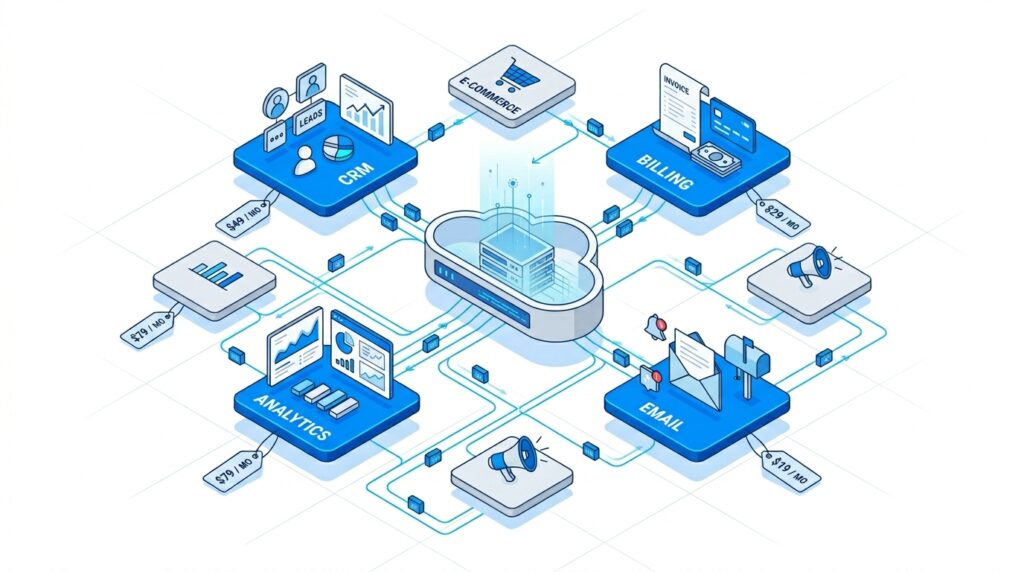
What SaaS Gets Right
Speed to deployment. A SaaS tool can be live in hours or days. For non-differentiating functions — expense tracking, project management, basic analytics — this speed is hard to beat. Engineering time is expensive; spending it on problems someone else has already solved is usually wasteful.
Predictable short-term costs. Monthly or annual subscriptions are easy to budget. No hiring, no infrastructure provisioning, no surprise debugging sessions at 2 AM.
Built-in compliance. Established SaaS vendors carry SOC 2, HIPAA, GDPR, and ISO certifications. Achieving those independently for a custom tool adds 6–12 months and significant audit costs.
Continuous improvement without your effort. The vendor’s product team ships features, fixes bugs, and handles security patches. You benefit from R&D investment you didn’t fund.
Where SaaS Breaks Down
Subscription compounding — “subscription hell.” A single SaaS tool at $50/seat/month seems reasonable. Stack 15 of them across your org and you’re looking at $300K–$500K annually just in software licenses — before any integration work. Per-seat pricing punishes growth: the more you hire, the more you pay, with no marginal cost reduction.
Integration brittleness. Connecting SaaS tools via APIs creates a web of dependencies. Each integration point is a potential failure mode. When Vendor A changes their webhook format or Vendor B deprecates an endpoint, your middleware breaks. Maintaining these integrations is a hidden engineering cost that rarely appears in TCO projections.
Data fragmentation. Your customer data lives in your CRM. Billing data lives in your payment processor. Support data lives in your helpdesk tool. Product usage data lives in your analytics platform. Stitching these into a coherent picture requires either an expensive CDP, custom ETL pipelines, or both — ironic, given the original appeal of avoiding custom engineering.
Vendor lock-in. After two years of configuring workflows, training staff, and building integrations around a specific SaaS tool, switching costs become prohibitive. The vendor knows this. Renewal negotiations reflect it.
Custom Internal Tools: Strengths and Weaknesses in Practice
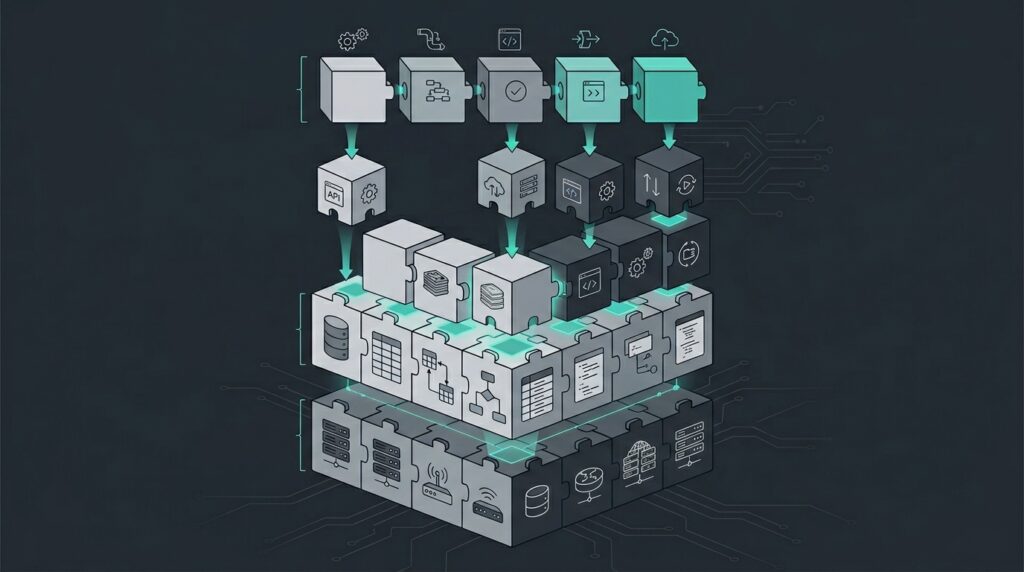
What Custom Tools Get Right
Exact-fit architecture. A custom tool can model your actual business logic — not a generic approximation. If your workflow involves a 7-step approval chain with conditional routing based on deal size and customer tier, you can build that directly instead of hacking around a SaaS tool’s “custom workflow” feature.
Data ownership and unified access. All your data lives in databases you control, structured the way your business thinks about it. No API calls to access your own information. No rate limits on your own queries. One source of truth.
Marginal cost economics. After the upfront investment, adding users costs almost nothing. Infrastructure costs scale with usage, not headcount. At 500+ employees, the per-user math often favors custom tooling by a wide margin.
No vendor dependency. You control the roadmap, the release cycle, and the deprecation timeline. No surprise breaking changes, no forced migrations, no renewal negotiations.
Where Custom Tools Get Expensive
Upfront development cost. Building a production-grade internal tool — with authentication, authorization, audit logging, error handling, monitoring, and a usable interface — takes 3–6 months minimum for a small team. That’s $150K–$400K in fully-loaded engineering cost before a single user logs in.
Ongoing maintenance is relentless. Security patches, dependency updates, framework migrations, bug fixes, and feature requests don’t stop after launch. Plan for 20–30% of the original build cost annually just to keep the lights on. Ignore this and you’re incubating tech debt that compounds faster than subscription fees.
Talent requirements are continuous. You need engineers who can build the tool and engineers who can maintain it years later. Institutional knowledge walks out the door when people leave. Documentation is always worse than you think it is.
Opportunity cost. Every sprint your team spends on internal tooling is a sprint not spent on your core product. For pre-PMF startups and lean SMEs, this trade-off can be existential.
Side-by-Side Comparison
SaaS Platforms
| Pros | Cons |
| Fast deployment (days, not months) | Per-seat pricing punishes headcount growth |
| Low upfront investment | API rate limits and data model constraints |
| Vendor handles security, compliance, uptime | Integration maintenance is a hidden cost |
| Continuous feature development included | Data fragmentation across multiple tools |
| Broad ecosystem of integrations | Vendor lock-in increases over time |
| Proven at scale across thousands of customers | Limited customization of core workflows |
Custom Internal Tools
| Pros | Cons |
| Architecture fits exact business requirements | High upfront cost ($150K–$400K+) |
| Full data ownership and unified access | Ongoing maintenance at 20–30% annually |
| Marginal cost per user approaches zero | Requires dedicated engineering talent |
| No vendor dependency or forced migrations | 3–6 month minimum time to production |
| Complete control over security and compliance | Opportunity cost against core product work |
| Performance optimized for your specific load | Risk of tech debt without disciplined practices |
The 5-Year TCO Model: Where the Numbers Actually Land
Abstract comparisons are easy. Let’s put rough numbers to a concrete scenario.
Scenario: A 120-person company growing to 300 over 5 years needs an operational workflow platform (think: order management, internal approvals, reporting dashboards).

SaaS Route
| Year | Users | License Cost | Integration/Middleware | Total |
|---|---|---|---|---|
| 1 | 120 | $86K | $30K | $116K |
| 2 | 160 | $115K | $40K | $155K |
| 3 | 200 | $144K | $55K | $199K |
| 4 | 250 | $180K | $65K | $245K |
| 5 | 300 | $216K | $80K | $296K |
| Total | $1.01M |
Assumes $60/seat/month base, plus middleware engineering for integrations.
Custom Build Route
| Year | Phase | Engineering | Infrastructure | Total |
|---|---|---|---|---|
| 1 | Build | $320K | $24K | $344K |
| 2 | Stabilize | $120K | $30K | $150K |
| 3 | Maintain + extend | $100K | $36K | $136K |
| 4 | Maintain + extend | $100K | $42K | $142K |
| 5 | Maintain + extend | $100K | $48K | $148K |
| Total | $920K |
Assumes 2-person build team in Year 1, transitioning to part-time maintenance. Infrastructure on AWS/GCP.
What the Numbers Show
The SaaS route is cheaper in Years 1 and 2. The custom route becomes cheaper from Year 3 onward and the gap widens as headcount grows. By Year 5, the SaaS path costs roughly $100K more — and that delta accelerates with every hire after 300.
But the numbers alone don’t capture the full picture. The SaaS route carries lower execution risk in the early years. The custom route requires you to actually ship a reliable tool on time and maintain it competently. Many teams underestimate that second part.
A Decision Framework That Actually Works
Instead of defaulting to ideology (“we’re a build-first company” or “we never build what we can buy”), apply these filters to each capability decision:
1. Is this a commodity or a differentiator? If every company in your industry needs the same thing (payroll, email, CRM basics), buy it. If the workflow is what makes your operations better than competitors’, build it.
2. What’s your current engineering bandwidth? If your team is already stretched building core product features, adding internal tooling to the backlog is a recipe for half-finished software nobody trusts. Buy time with SaaS, build later when you can staff it properly.
3. How fast is the underlying domain changing? If the regulatory or market landscape shifts frequently, SaaS vendors absorb that adaptation cost. If your domain is stable and well-understood, a custom tool won’t need constant rework.
4. What’s the 3-year headcount trajectory? Per-seat SaaS pricing means costs scale linearly with headcount. If you’re doubling in size, model both paths at the projected team size, not today’s.
5. Can you actually maintain what you build? Be brutally honest. If your team doesn’t have a track record of maintaining internal tools without letting them rot, the theoretical savings of custom software won’t materialize. Tech debt is patient; it always collects.
The Hybrid Path: What Most Successful Teams Actually Do
The companies that scale well rarely go all-in on either approach. They buy SaaS for the 80% of workflows that are generic and build custom for the 20% that define their operational advantage.
The key to making a hybrid stack work is treating your integration layer as a first-class engineering concern — not an afterthought stitched together with Zapier and hope. That means investing in an internal API gateway, standardized data contracts between systems, and monitoring that alerts on integration failures before users notice.
It also means having a clear migration path for the SaaS tools you’ll eventually outgrow. The vendor you choose at 50 employees won’t necessarily serve you at 500. Design your integrations so that swapping a SaaS dependency is a bounded engineering project, not a company-wide crisis.
Final Thought
The right answer isn’t the same for every company, every capability, or every stage of growth. What separates teams that scale well from those that don’t isn’t whether they chose SaaS or custom — it’s whether they made the choice deliberately, with clear-eyed cost modeling and honest assessment of their own engineering capacity.
Buy what’s commodity. Build what’s core. And whatever you do, budget for the maintenance.
This article reflects architectural patterns and cost structures observed across SME and mid-market environments in Tier-1 markets as of 2026. Actual costs vary significantly by region, tech stack choices, and organizational maturity.